
Mining Vehicle Camera System
Camera monitoring and Mobile DVR recording for haul trucks, loaders and heavy equipment. Plan the views, storage and optional detection functions around your machine and operating conditions.
- Front, rear, side and working-area camera options
- 4-channel or 8-channel local recording
- Optional AI detection, 360° view and connected fleet access
Start with the Machine and Its Blind Areas
Loading, reversing and passing smaller vehicles create different visibility demands. Camera selection must also account for lens contamination, vibration and available light.
People & Vehicle Movement
Identify the areas around access steps, side approaches and reversing paths that the operator cannot see directly.
Dust, Mud & Darkness
Plan camera protection, lighting and accessible cleaning points. A dirty or obscured lens can limit both visibility and AI detection.
Power, Vibration & Routing
Review supply voltage, mounting points and cable routes around articulation joints, moving attachments and heat sources.
This page focuses on surface mining and quarry vehicles. Underground and hazardous-area projects require a separate equipment and certification review.
Choose Views Before Assigning Channels
These are viewing priorities, not fixed mounting instructions. Confirm positions on the vehicle with its body and attachments in their operating positions.
Front & Rear Views
Check the travel path and reversing area. Test whether bodywork, a raised load or an attachment obstructs either view.
Left & Right Views
Review both sides independently. Long bodies and articulated equipment may need more than one view per side.
Load & Working Areas
Select views of the body, bucket, boom or other work area according to the task. Protect cables from movement and abrasion.
Cabin & Access Areas
Add operator or access-step views when required. Cabin recording and DMS may need different cameras and positions.
Typical MDVR-Based Connections
Compatible Cameras → Mobile DVR
Local Storage
MDVR records to compatible HDD, SSD or card storage.
In-Cab Display
MDVR video output connects to a compatible monitor for local viewing.
Remote Platform
A supported network connection links the MDVR to a compatible platform.
The monitor is not an intermediate connection between cameras and the MDVR in this example. Separate AI or 360° processors require their own confirmed connection layout.
4CH or 8CH: Match the Required Views
Channel count sets the number of recording inputs. It does not establish complete blind-area coverage or include AI and stitched 360° functions.
| Selection Point | 4CH Configuration | 8CH Configuration |
|---|---|---|
| Illustrative layout | Front, rear, left and right | Those views plus selected cabin, load, access or additional side views |
| Project fit | Up to four required recording views | Five to eight required recording views |
| Recorder candidate | K6204: 4CH AHD, up to 1080P recording | K6108: 8CH AHD, 720P/1080N recording |
| AI requirement | Confirm the AI-enabled variant, cameras and software | K6108 has no built-in AI; evaluate an AI MDVR or separate compatible detection system |
Confirm recording resolution, frame rate, cable harnesses, storage and operating limits for the selected model. More channels do not automatically mean higher image quality.
Keep Recording and Remote Access Separate
Local Recording
A configured recorder can store video without cellular coverage, provided power, cameras and storage remain operational. Retention depends on bitrate, channel count and usable capacity.
Remote Video
Live viewing and remote retrieval require a supported connection and platform. Confirm site coverage, cellular bands, SIM service and data allowance before deployment.
Location & Retrieval
GPS reception depends on the installation and satellite visibility. Confirm USB export, supported WiFi download and any upload-after-reconnection function separately.
For routes with intermittent coverage, plan local retention and a practical video retrieval procedure first.
AI Detection and 360° View Are Separate Choices
Add functions to a compatible recording configuration after reviewing the operating task and installation constraints.
Pedestrian & Vehicle Detection
Select compatible cameras or processing hardware. Test target types, mounting height, detection zones and alerts on the actual vehicle.
Stitched 360° View
Requires compatible cameras, processing and calibration. Check vehicle dimensions, camera overlap and moving-body geometry; split-screen video alone is not stitched surround view.
Driver Monitoring & Alerts
Evaluate DMS and external warning devices by project. Road-oriented ADAS functions need separate suitability checks for off-road routes.
Dust, obscuration and changing light can affect image-based detection. Detection and warning functions assist the operator and must be evaluated under representative site conditions.
Plan Around the Equipment Type
| Equipment | Viewing Priorities | Installation Review |
|---|---|---|
| Haul & Dump Trucks | Travel path, rear, sides and access areas | Body height, raised-body obstruction and cable length |
| Wheel Loaders | Rear, sides and selected working views | Articulation, bucket movement and camera obstruction |
| Excavators | Counterweight, sides and working area | Slewing movement, boom position and cable protection |
| Dozers & Drilling Equipment | Travel direction and machine perimeter | Attachments, vibration and protected mounting positions |
| Site Service Vehicles | Road, reversing and access views | Vehicle dimensions, power and existing camera compatibility |
Recorder Candidates for Project Evaluation
These are starting points for configuration review. Final selection depends on the mounting environment, cameras, storage and required functions.
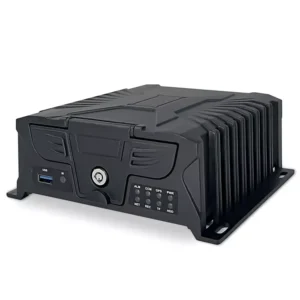
K6204 · 4CH MDVR
Four AHD inputs, HDD/SSD and TF storage. Review the network and AI variant required for the project.
View K6204 specifications
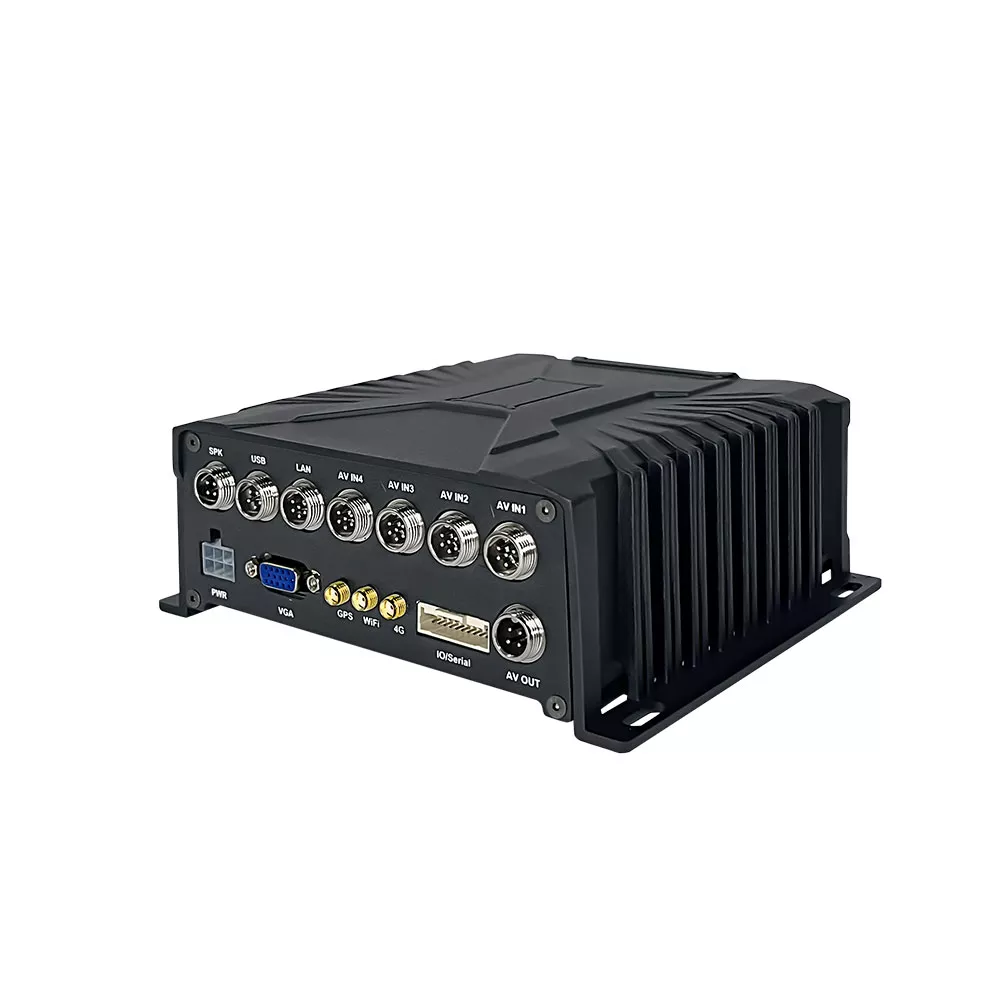
K6108 · 8CH MDVR
Eight AHD inputs using dedicated splitter harnesses, HDD/SSD and TF storage. No built-in AI algorithms.
View K6108 specifications
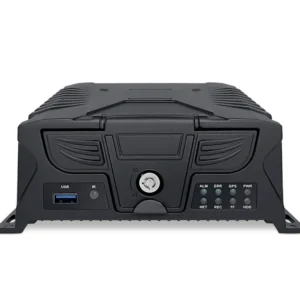
4CH / 8CH AI MDVR
Evaluate compatible detection cameras, software and warning outputs alongside the required recording channels.
View AI MDVR optionsComplete the package with matched cameras, a compatible monitor, brackets and harnesses. Confirm each component's input voltage, interfaces, temperature range and documented protection and vibration ratings. A camera rating does not certify the complete system.
From Vehicle Review to Deployment
- 01
Review the Vehicle
Share the model, dimensions, operating task and required views.
- 02
Confirm the Package
Agree the cameras, recorder, monitor, cables, storage and optional functions.
- 03
Bench Test
Check power, video compatibility, recording, display and configured alerts.
- 04
Run a Vehicle Pilot
Evaluate sight lines, day/night images, contamination, mounting and network coverage.
- 05
Approve the Configuration
Record the agreed hardware, settings, cable lengths and inspection requirements.
- 06
Prepare Delivery
Confirm quantity, schedule, documentation and support arrangements.
Request a Mining Vehicle Configuration
Send your vehicle details and required coverage. VST can review a proposed camera and recorder package for sample evaluation.
Vehicle & Site
- Equipment model, quantity and destination country
- Photos or drawings with approximate dimensions
- Working attachments and target viewing areas
- Supply voltage, dust, washing and temperature conditions
Recording & Functions
- Required recording views and retention time
- Storage and in-cab display requirements
- Site connectivity and existing fleet platform
- AI, 360° view, alerts and project schedule
Mining Vehicle Camera System FAQ
How many cameras does a large mining vehicle need?
Start with the viewing areas rather than a fixed channel count. Front, rear and two side cameras are one four-view example, but long bodies, articulation and attachments may require additional cameras. Confirm coverage during a vehicle trial.
What happens if dust or mud covers the lens?
Image quality and image-based detection may be impaired. Plan suitable mounting, accessible cleaning points and routine checks. Weather protection does not keep an obscured lens clear.
Can the system record without a 4G signal?
Yes, local recording can continue with the recorder correctly configured and its power, cameras and storage working. Remote viewing requires connectivity. Automatic upload after reconnection must be confirmed for the specific recorder and platform.
Will a 360-degree system fit any mining vehicle?
Suitability depends on supported vehicle dimensions, camera positions, overlapping views and calibration. Articulated vehicles and moving bodies need a specific review. An eight-channel recorder alone does not create a stitched 360-degree view.
What should we provide before requesting a quote?
Provide vehicle models, quantities, dimensions or photographs, required views, recording time, power supply and site conditions. Include connectivity, AI, warning and certification requirements where applicable.